Kanji Reader
Snap the Japanese.Read every kanji.
Kanji Reader reads the Japanese in a photo and puts furigana above every kanji. Tap once more and AI explains what it means.


Free twice a day. No account or sign in needed.
What one photo does
Your photo
本や書類の漢字も、撮るだけで読めます。
In Kanji Reader
本や書類の漢字も、撮るだけで読めます。
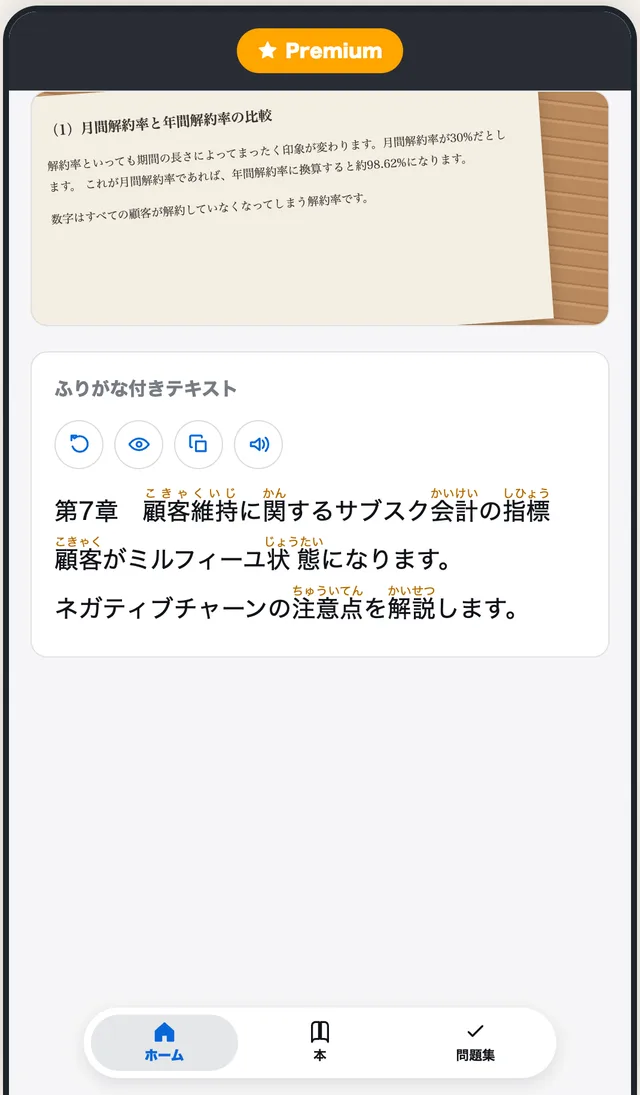
Readings appear in hiragana above the kanji. Hide them any time to test yourself.
What you can do
From a photo to a book you can study
Furigana on every kanji, from one photo
Take a photo or pick one from your library. OCR pulls out the Japanese text and adds readings above the kanji.
- Tap "Hide Furigana" to read without the readings
- Copy the extracted Japanese into any app with one tap
Understand what it means
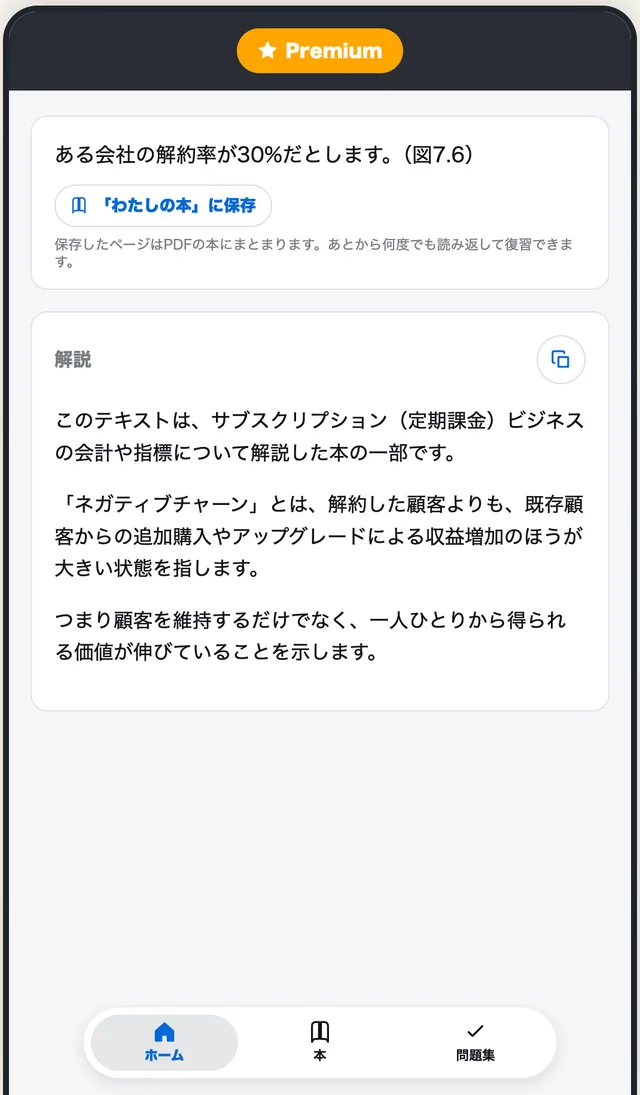
Tap "Explain" and AI gives you a summary, the key terms and a detailed explanation of the passage.
- Choose from 15 explanation languages
- English, Chinese, Korean, Spanish, Vietnamese and more
Bind your scans into Books
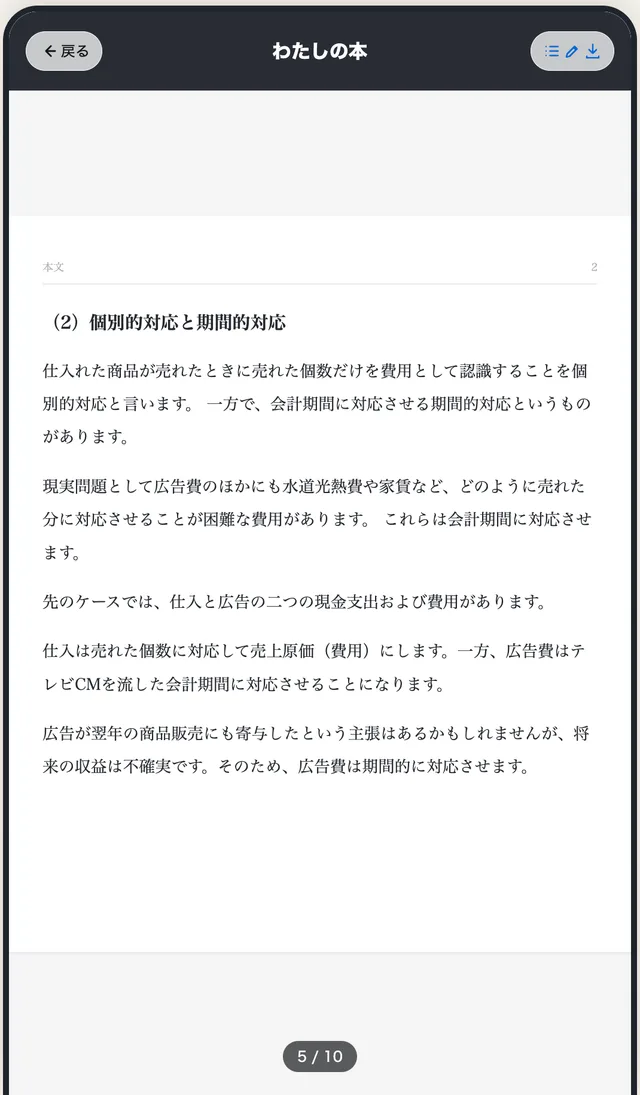
Save any reading or explanation into a Book with one tap. Books get a table of contents and turn like real pages.
- Read them again tomorrow, page by page
- Export a Book as a PDF for your tablet or e reader
Practice with the Japanese you care about
Pick up to 3 chapters from a Book's table of contents, and AI writes short written answer questions from that exact text.
- Read the question and think it through
- Turn the page for the answer and explanation
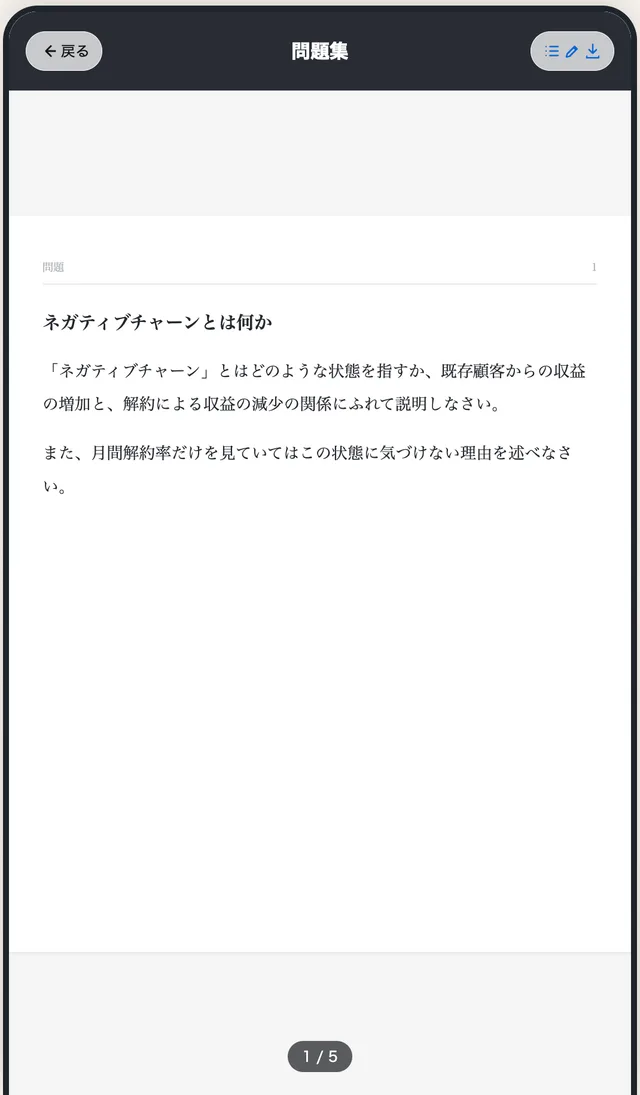
Hear how it sounds
Tap play and your phone's Japanese voice reads the text aloud, so you can follow with your eyes and ears.
Explanations in your language
Pick the language you want explanations in from 15 options.
No account needed
Books and Quizzes stay on your device. The Developer does not store your images or text on its servers.
Stop drawing kanji by hand.Take a photo and keep reading.
How it works
Three steps to read it
- Step 1
Take a photo
Point the camera at a page, or choose a photo from your library.
- Step 2
Read with furigana
Readings appear above every kanji. Tap play to hear the text.
- Step 3
Explain and save
Ask AI what it means, then bind the page into a Book to study later.
Pricing
Start free, upgrade when you need more
| Benefit | Free | Premium |
|---|---|---|
| Scans and explanations | 2 a day | Unlimited |
| Practice questions | Watch an ad | Unlimited |
| Extra uses from ads | Up to 3 a day | No ads needed |
| Books and Quizzes | 1 each, up to 10 pages | Unlimited |
| PDF export | Books only | Books and Quizzes |
| Import several photos at once | Not included | Up to 3 photos |
Premium is a monthly plan. The price and any free trial are shown in the App. It renews until you cancel, and you can cancel any time in your App Store or Google Play account settings.
FAQ
Questions before you start
Is Kanji Reader free?
Yes. Scans and explanations are free up to 2 times a day in total, and watching ads adds up to 3 more uses a day. Premium removes the limits.
Do I need an account?
No. You can use the App without signing up or signing in.
What can I scan?
Any photo with Japanese text: textbooks, manga, novels, letters, notices and signs. Take a photo or pick one from your library.
Which languages can the explanations use?
You can choose from 15 languages, including English, Chinese, Korean, Spanish and Vietnamese.
Where are my photos and text stored?
Books and Quizzes are stored on your device. To read the text and write explanations, images and text are sent through the Developer's server to AI services. The Developer does not store them on its servers.
Are the readings always correct?
Furigana and explanations are generated by AI and may contain mistakes. For important documents, check the original or ask the issuer.
How do I cancel Premium?
Cancel any time in your App Store or Google Play account settings. It renews automatically until you cancel.
Your next page of Japaneseis one photo away
Free twice a day. No account needed.