AI Bookmark
Read it later app with AI summaries
Know what's in itbefore you read it
Save a page from the share sheet. AI summarizes it and files it into a category, so you can decide in seconds whether it's worth your time.


Free to save and search · No account needed · No ads
The read later pile
Saving is easy. Getting back to it is not.
Your bookmarks today
- Tabs and bookmarks pile up with things you meant to read
- You can't tell what a link was about without opening it
- That useful page you saved is nowhere to be found
With AI Bookmark
- Every saved page comes with a summary and a category
- Search covers summaries too, so a vague memory is enough
- The oldest unread pages come back to the top of your home screen
How it works
From link to answer in four steps
- Step 1
Save from the share sheet
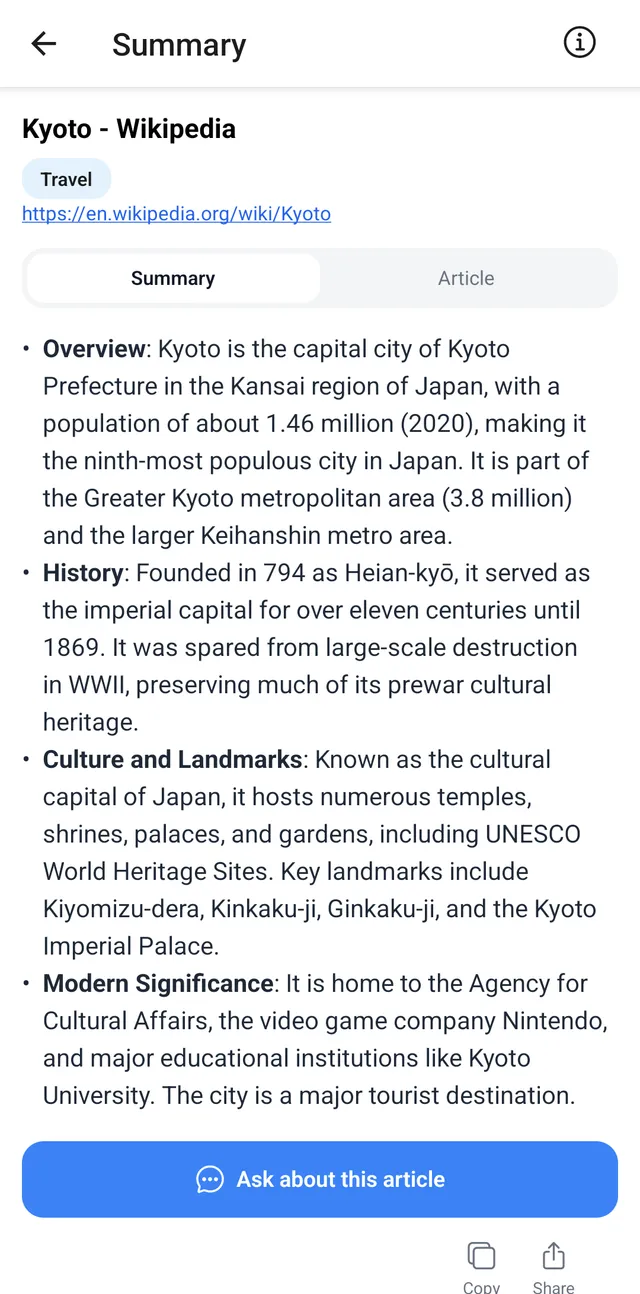
In your browser, tap Share and choose AI Bookmark. You can also paste a URL into the app.
- Step 2
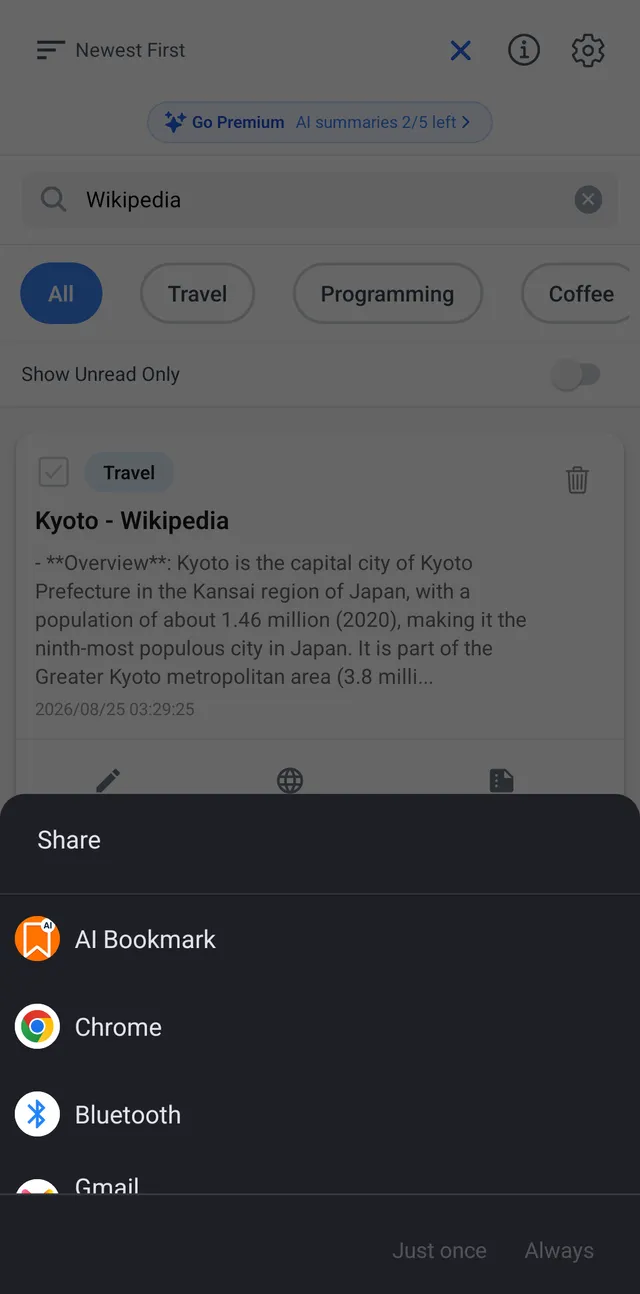
Read the summary first
Switch between the Summary and Article tabs. The article view is clean text without ads or menus.
- Step 3
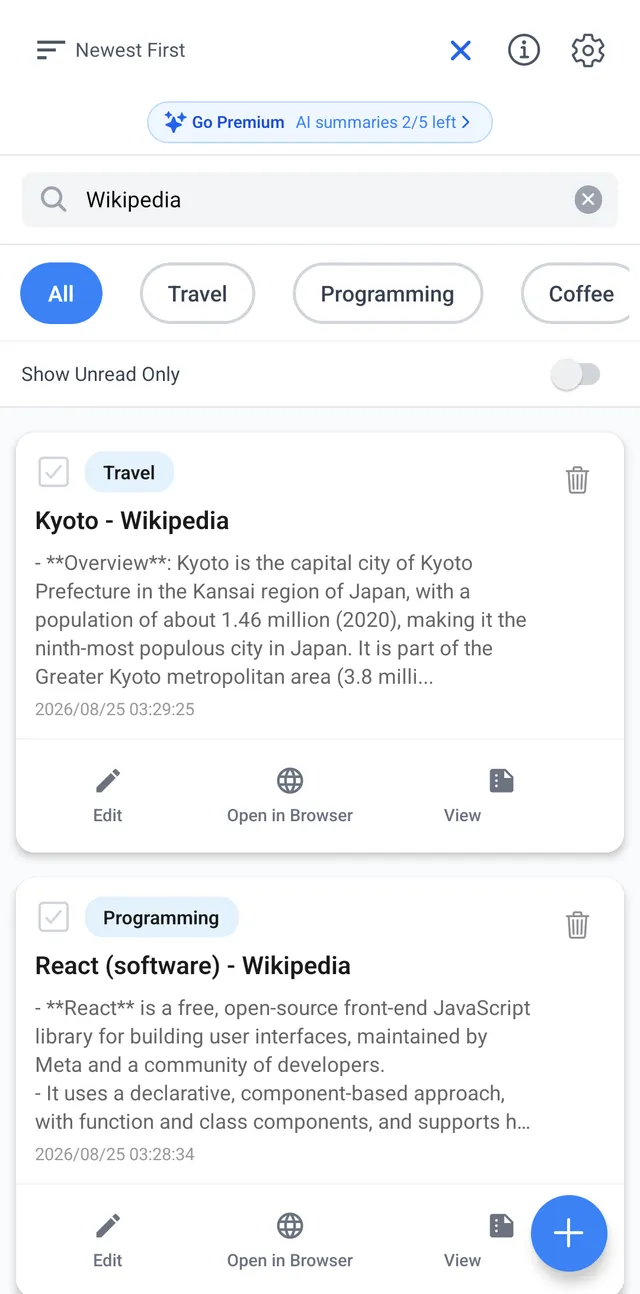
Find it again from a vague memory
Search titles and summaries, filter by category, or show only what you haven't read.
- Step 4
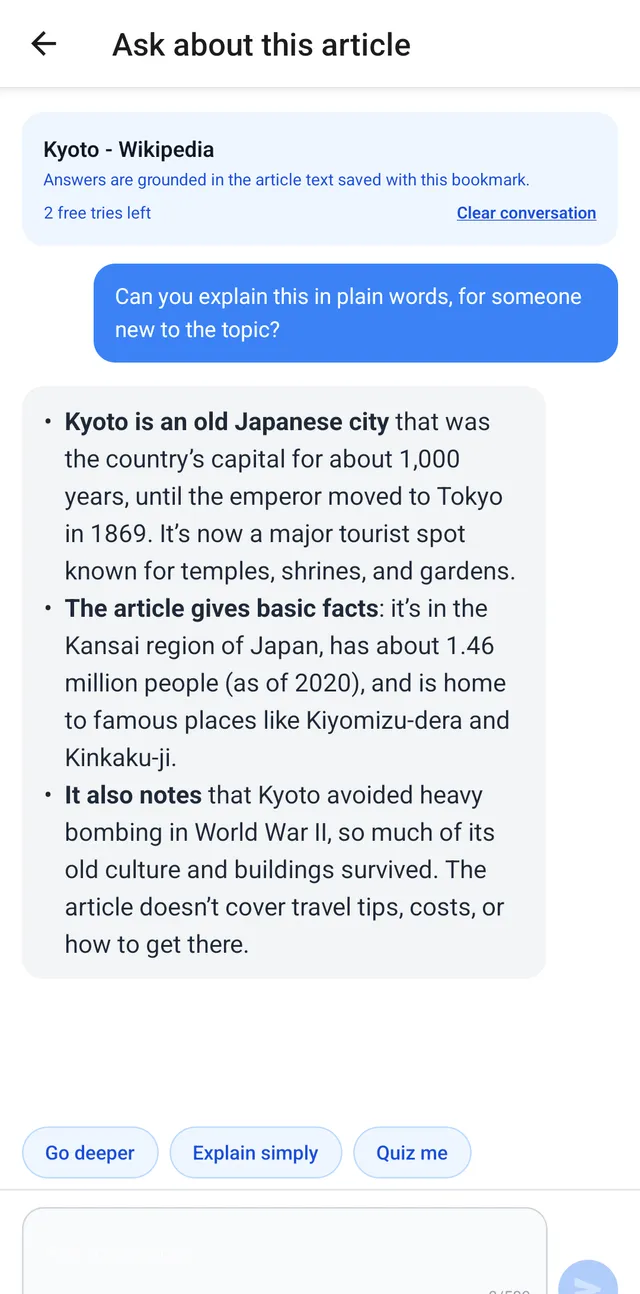
Ask AI about the article
Tap Go deeper, Explain simply, or Quiz me, or type your own question. Answers are based on the text you saved.
Save it in one tap.Read only what's worth it.
Why you can trust it
Simple to start, private by design
Forgotten pages come back
The home screen shows up to 3 of your oldest unread articles under "Saved a while ago."
Your library stays on your phone
Bookmarks, summaries, article text, and chats are stored on your device. There's no cloud sync.
No account, no ads
Open the app and start saving. There's no account to create.
Pricing
Saving, organizing, and searching are free
| Feature | Free | Premium Plan |
|---|---|---|
| Save, search, and categories | Unlimited | Unlimited |
| AI summaries | 5 in your first month, then 3 a month | 200 a month, shared with article chat |
| Article chat | 3 tries in total | Included in the 200 |
When your AI summaries run out, you can still save links without a summary. The Premium Plan renews monthly or yearly. The price is shown in the app before you buy. Cancel anytime in your App Store or Google Play settings.
FAQ
Questions before you download
Is AI Bookmark free?
Yes. Saving, organizing, and searching bookmarks is free and unlimited. Free users get 5 AI summaries in their first month, then 3 a month, plus 3 article chat tries in total.
Do I need an account?
No. Open the app and start saving. There's no account to create.
Where are my bookmarks stored?
On your device. Bookmarks, summaries, article text, and article chats stay on your phone. There's no cloud sync.
What is sent to the server?
To summarize a page or answer a question, the app sends the page's URL, title, and text, plus your question and the chat so far, to the developer's server, where AI (DeepSeek, or OpenAI as a fallback) processes it. Don't save pages that contain personal or confidential information.
What happens when my AI summaries run out?
You can keep saving links. They are saved without a summary.
Are there ads?
No. AI Bookmark has no ads.
How do I cancel the Premium Plan?
Cancel anytime in your App Store or Google Play account settings.
Who can use it?
The app is not directed to children under 13. Minors need a guardian's consent where required.
Stop the pile from growing.Start with your next link.
Free to save and search · No account needed · No ads